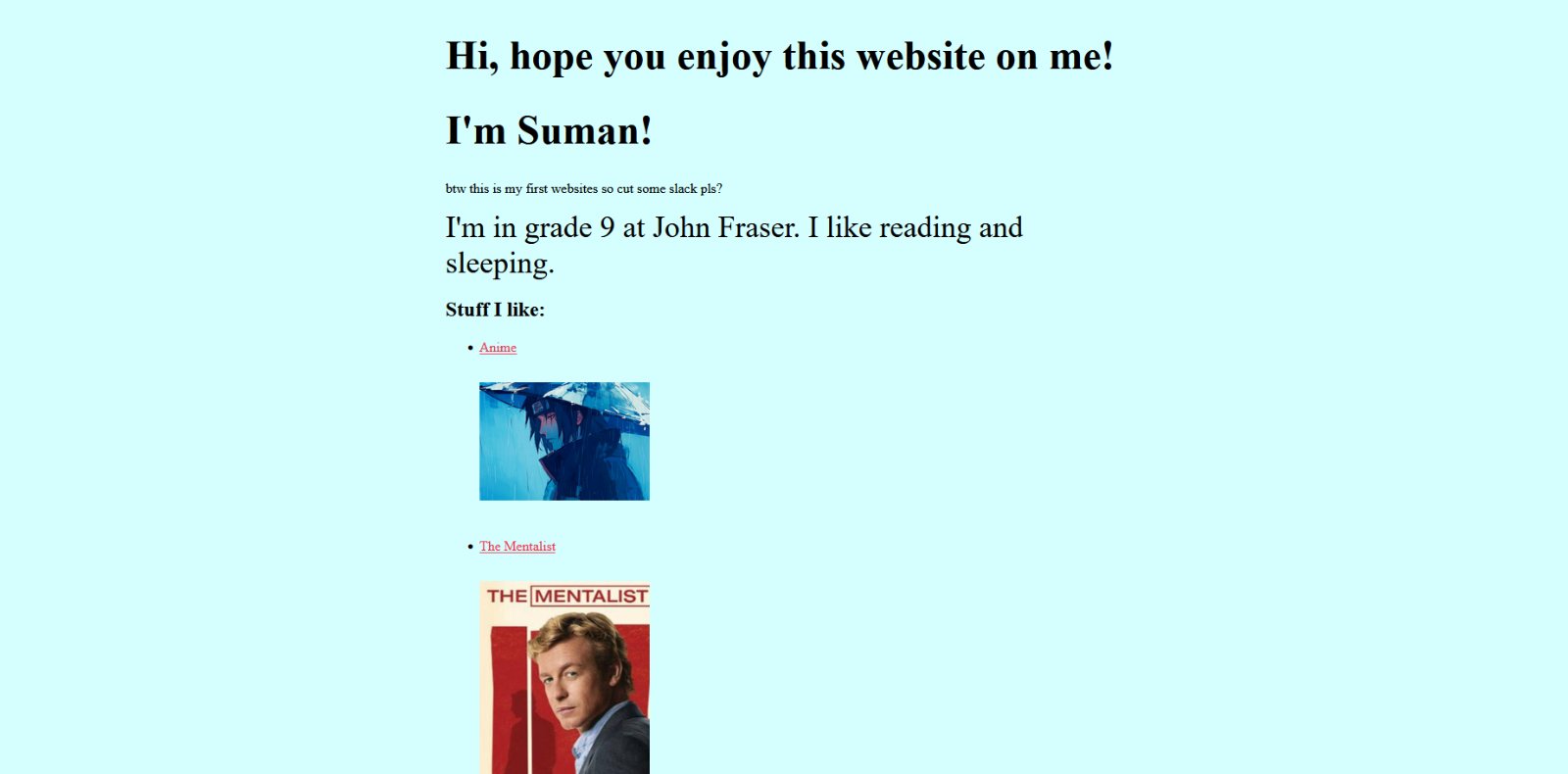
Your own site!!
Build a website about you and put it online for free. Bring a laptop. Leave with a link for your resume and uni apps.
What's a website?
Just a text file called index.html. Your browser downloads it and draws it.
- HTML: what's on the page. Words, links, pictures.
- CSS: how it looks. Colours, fonts, layout.
- Tags wrap your content. Most come in pairs: an opening tag and a closing tag with a /.
<a href="https://github.com">GitHub</a> - Opening tag
- Attribute: extra info, like where a link goes
- Content: what you see
- Closing tag
It's public!!
- Anyone can see it. No home address, phone number or class schedule.
- Every update: open index.html on GitHub → ✎ pencil → paste → Commit changes. Refresh after a minute.
- Try it here first. Edit the code below and the preview updates live.
Setup
GitHub Pages hosts your site for free. Your link will be yourusername.github.io.
- Make an account at github.com. Use your personal email so you keep it after you graduate.
- Top right + → New repository. Name it exactly yourusername.github.io. Public. Create.
- Click "creating a new file". Name it index.html, paste the code, then Commit changes.
- Wait a minute and open yourusername.github.io. Your site is live!
- Still a 404? Settings → Pages → Branch: main → Save, then wait another minute.
Put it online
Code ready? Here's every click on GitHub.
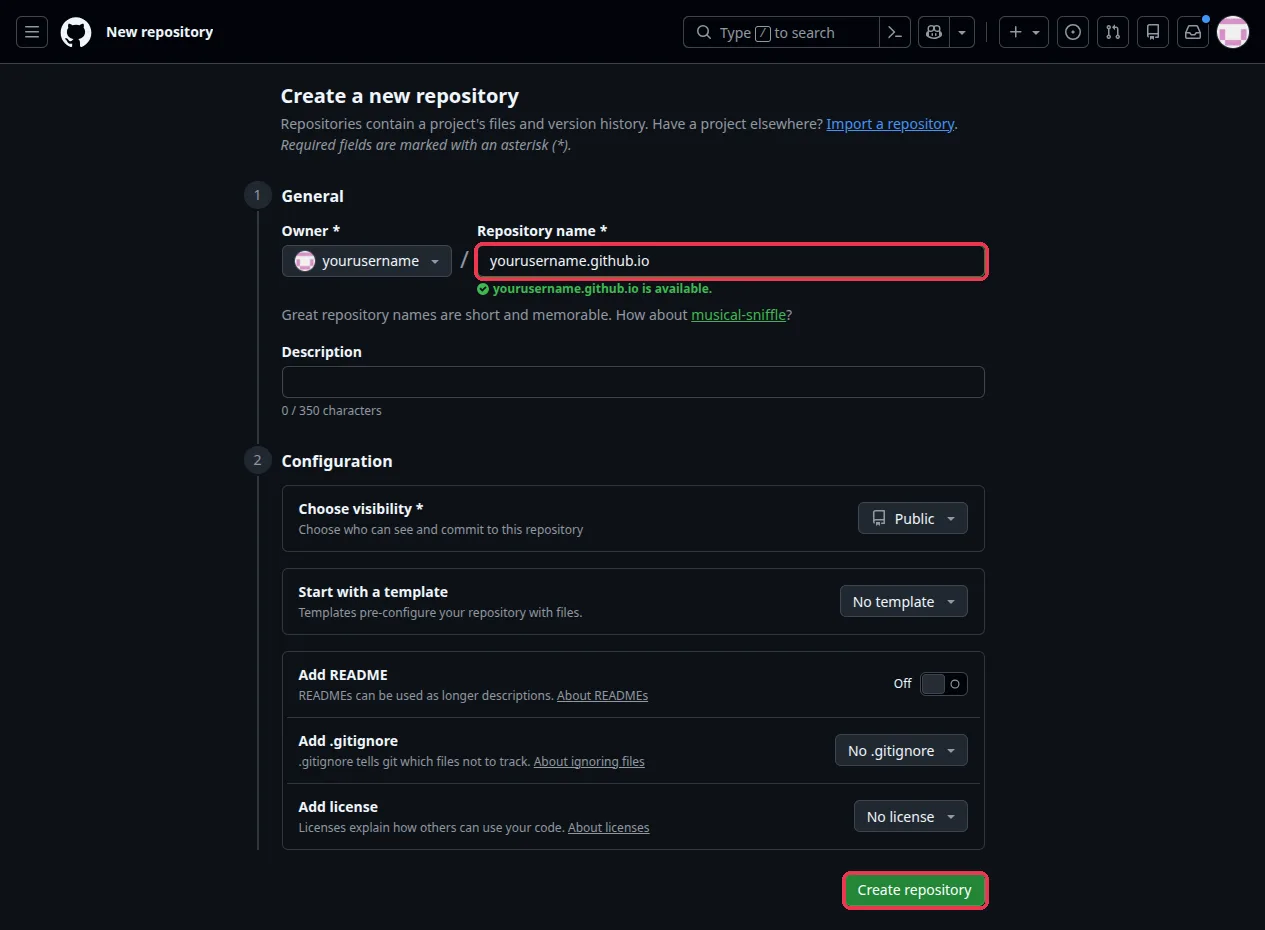
01Top right + → New repository. Name it yourusername.github.io, keep it Public, then Create repository.
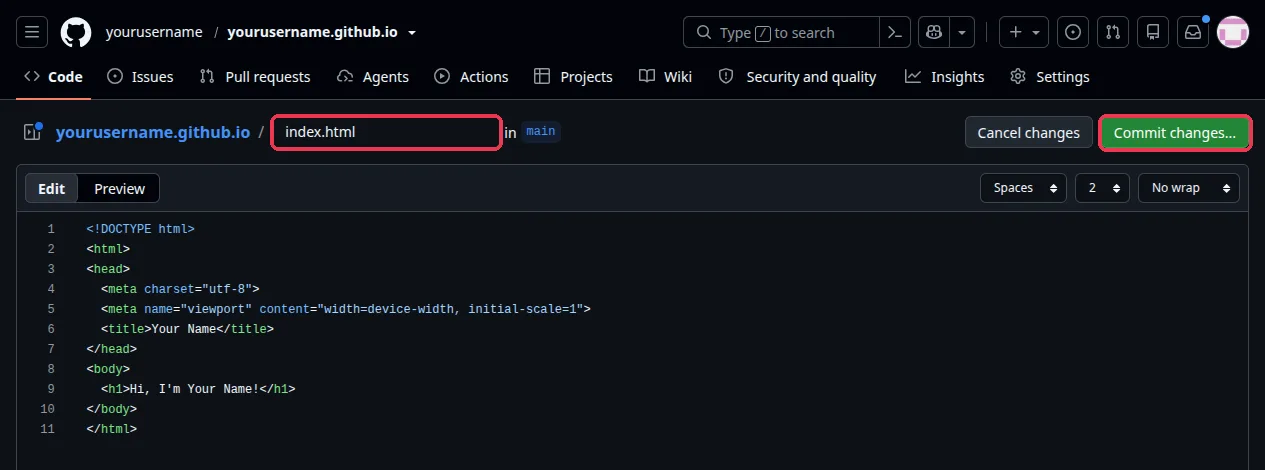
02Click "creating a new file". Name it index.html, paste your code, then Commit changes...
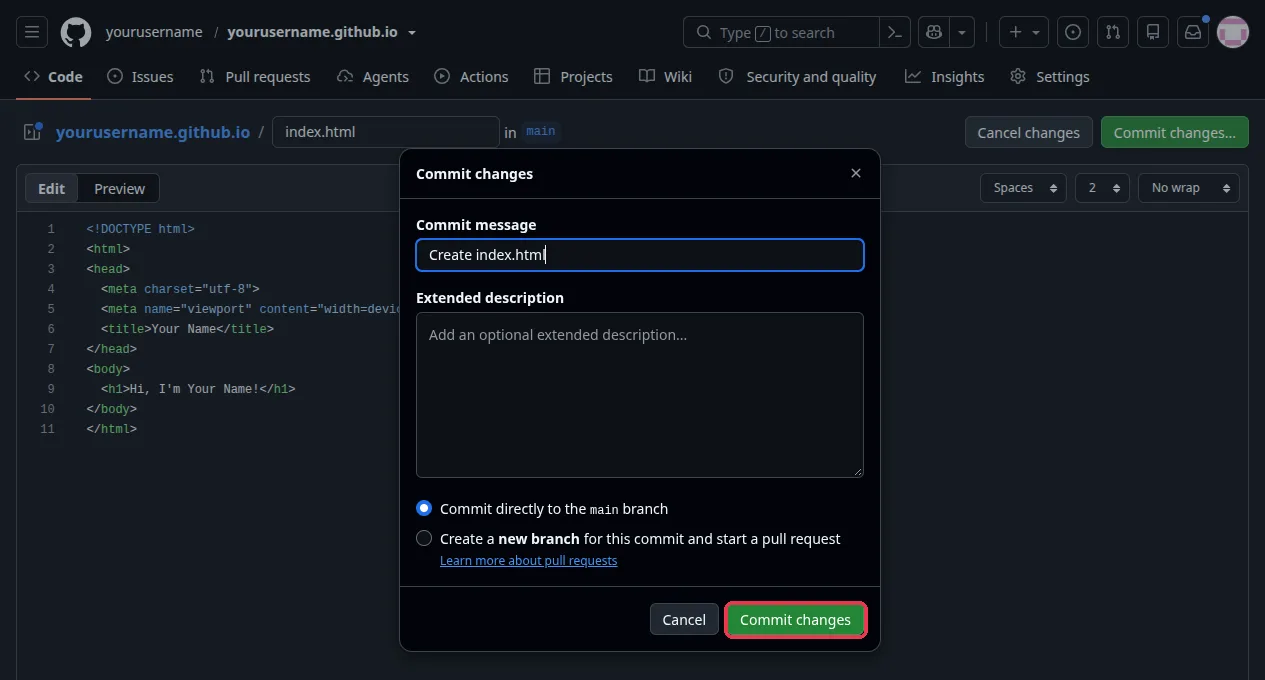
03Hit Commit changes again to save it.
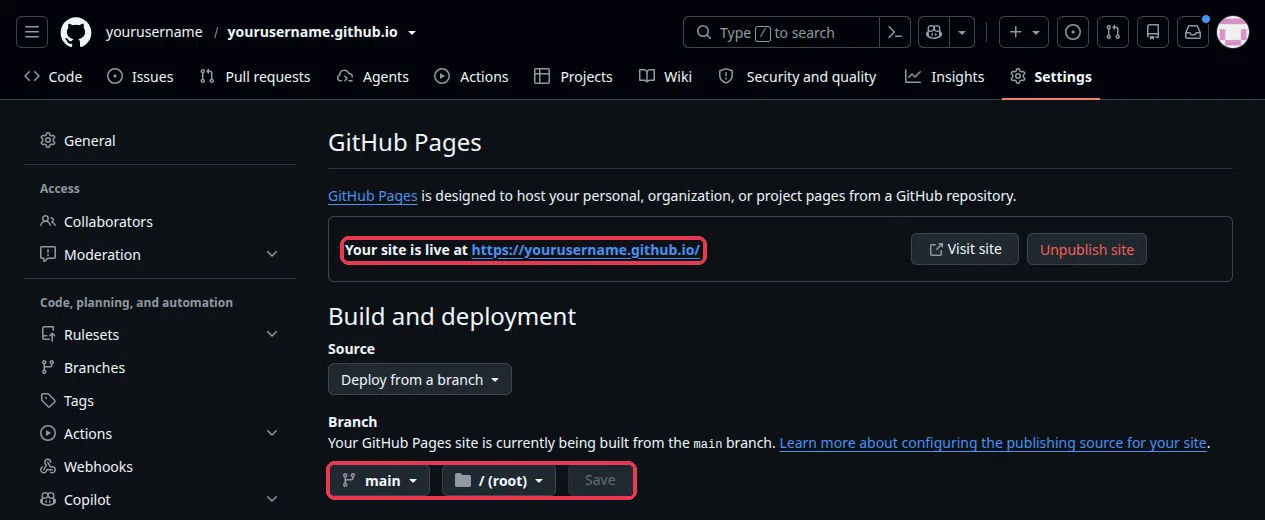
04Settings → Pages shows your link after a minute. Still a 404? Set Branch to main and Save.
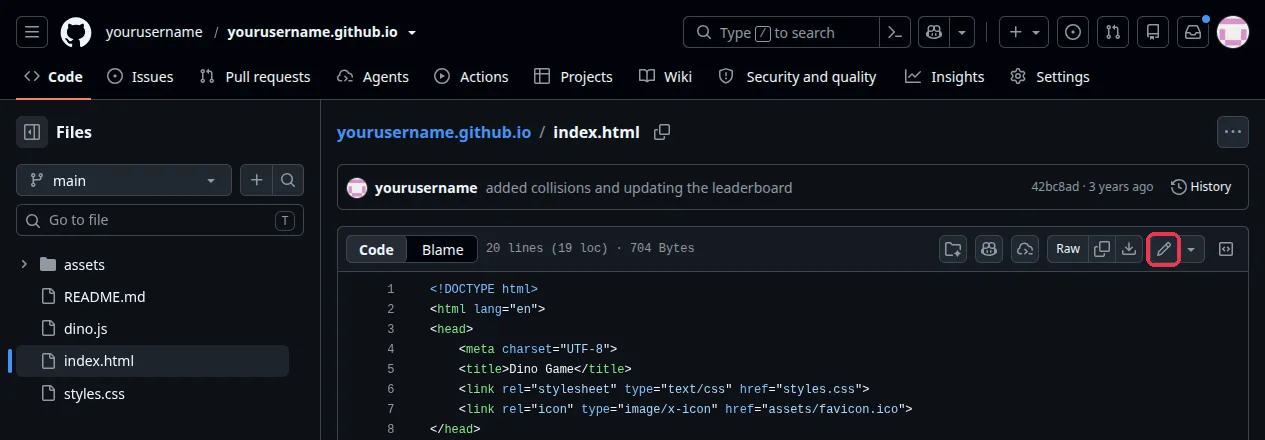
05To update: open index.html, click the ✎ pencil, paste your new code and commit.
Challenges
Site's up? Make it better. No code given. Show an exec when yours works!
Add file → Upload files, then show it with <img src="me.jpg">.
Pick a palette on coolors.co and restyle everything.
Switch colours when the phone is in dark mode. Hint: prefers-color-scheme.
Make projects.html and link the two pages together.
Add a <script> that does something when you click. Confetti? A theme switcher?
Make your site look and work like a command line. Typing help lists your pages.
Everyone's sites!!